Introduction to AI Tool Development
AI-powered tools are now part of everyday digital life. A bank's chat assistant, a shopping app that suggests products, and a tool that reads invoices and fills in the fields for you all rely on artificial intelligence. Businesses of every size are asking how they can use similar tools in their own operations.
AI tools can answer questions, analyse information, recognise patterns, generate content and automate parts of a workflow. Behind each of them sits a deliberate engineering effort. AI tool development is the process of designing and building applications that use artificial intelligence to perform specific tasks.
This guide explains the fundamentals in plain language: what AI tool development is, how AI applications work, which technologies are involved and how the development process unfolds. You do not need a technical background to follow it.
What Is AI Tool Development?
AI tool development means building a software application around one or more AI capabilities so that it solves a defined problem for its users. The AI might read text, classify documents, predict outcomes or generate a reply. The application wraps that capability in an interface, connects it to the right data and makes it dependable enough for real work.
How AI Applications Differ from Traditional Software
Traditional software follows fixed rules written by a developer. If a customer clicks "Track order", the program runs the same steps every time. An AI-powered application can handle inputs that were never explicitly programmed for, such as a question phrased in an unusual way, because it relies on a model that has learned patterns from data.
Here is a simple example. A conventional support page might show a list of predefined answers, and the customer must find the right one. An AI-powered assistant can read the customer's question, understand what is being asked and generate a relevant response, drawing on approved company information.
AI Application Development vs Creating an AI Model
These two things are often confused. Creating an AI model means training a system on large amounts of data, which demands specialist skills, heavy computing resources and time. AI application development means building a useful tool that uses an existing or adapted model. Most business AI tools fall into the second category. Not every AI tool needs a custom-trained model, and many practical applications are built by connecting a well-designed application to a model that already exists.
Why Businesses May Need Custom AI Tools
Ready-made tools work well for general tasks. Problems start when a business needs AI to work with its own documents, databases and processes. Custom AI software is built around those specific requirements instead of asking the business to adapt to a generic product.
How Do AI Tools Work?
While each tool is different, most AI-powered applications follow the same broad process.
Step 1 – User Provides Input
Everything begins with an input. Users may type a question, upload a PDF, share a photo, speak a command or submit a form. The kind of input the tool accepts shapes everything that follows.
Step 2 – Input Processing
The application prepares the input before the AI sees it. Text may be cleaned and split into manageable parts, scanned documents converted into readable text, and audio transcribed. Natural language processing (NLP) helps the system interpret human language, for example recognising that "where is my parcel" and "order not arrived yet" mean similar things.
Step 3 – AI Model Processes the Information
The prepared input goes to an AI model, which analyses it and produces a prediction, classification, recommendation or response. A model might decide that an email is a billing complaint, estimate which products a customer may like, or write a summary of a long report. In simple terms, the model compares what it receives with the patterns it has learned and produces the most suitable result.
Step 4 – Application Generates an Output
The application then presents the result in a usable form: an answer in a chat window, a short summary, a category label, a list of recommendations or details extracted from a document and placed into the right fields.
Step 5 – Human Review and Continuous Improvement
AI outputs can be wrong or incomplete, so important results should be verified by a person. Good tools also collect feedback, run regular tests and monitor performance so that weak spots can be found and fixed over time.
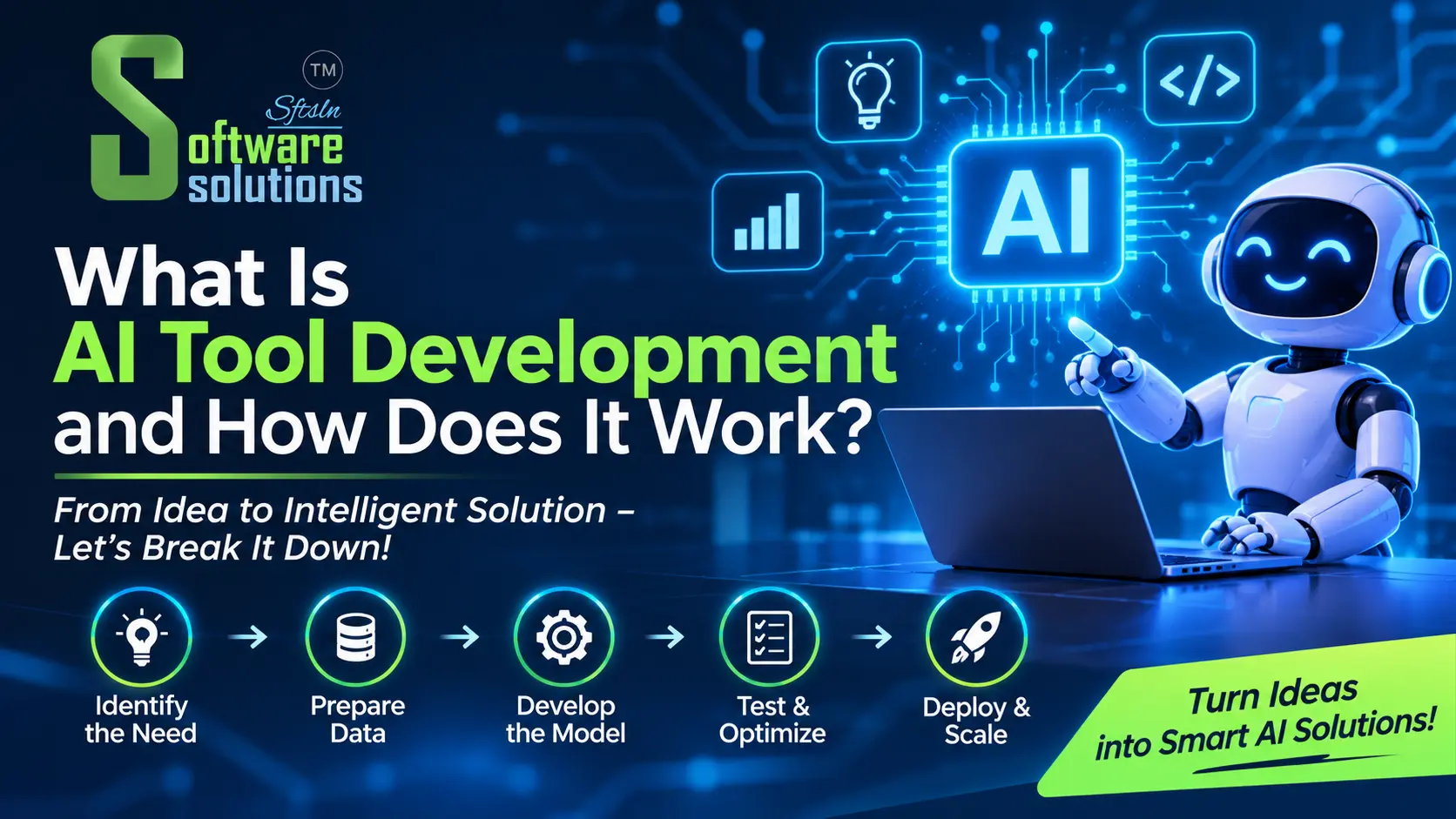
The whole workflow can be summarised like this:
User Input → Application Processing → AI Model → Generated Output → User Review
Main Technologies Behind AI Tool Development
Artificial Intelligence
Artificial intelligence is the broad field of building systems that perform tasks normally associated with human intelligence, such as understanding language, recognising images or making decisions. The other technologies below are parts of this larger field.
Machine Learning
Machine learning is a method in which systems learn patterns from data instead of following only hand-written rules. After studying many examples, a model can make predictions or classifications on new data. Many machine learning applications, such as fraud detection, demand forecasting and spam filtering, work this way.
Large Language Models (LLMs)
Large language models are trained on vast amounts of text and are good at language tasks: summarising, answering questions, drafting text and holding a conversation. They power many modern chatbots and writing assistants.
Natural Language Processing (NLP)
NLP covers the techniques that let software read, interpret and work with human language. It is useful for understanding intent, extracting names or dates from text and handling multiple languages, which matters in India, where customers may write in English, Hindi, Bengali or a mix.
AI APIs and Model Integration
An API lets one piece of software talk to another. With AI API integration, a developer connects a web or mobile application to an existing AI service, sends it the input and receives the result. This is very different from training a model from scratch. It is usually faster and more economical, and it is how many AI-powered applications are built.
Databases and Cloud Infrastructure
An AI tool also needs the usual building blocks of software. Databases store business information, backend systems retrieve the relevant data and cloud infrastructure keeps the application available and able to handle growing usage.
Different Types of AI Tools
AI Chatbots and Virtual Assistants
These tools answer questions and guide users through tasks in natural language. A restaurant or banquet venue, for example, could use one to answer common enquiries about menus, availability and directions.
AI Document Processing Tools
These applications read invoices, forms, purchase orders and reports and extract the key details. For an Indian business, that could mean pulling invoice numbers, dates, GST details and totals from supplier bills instead of typing them by hand.
AI-Powered Analytics Tools
Analytics tools summarise business information, highlight patterns and help prepare reports, so managers spend less time collecting figures and more time acting on them.
Recommendation Systems
These systems suggest products, services or content based on relevant information, such as past purchases or browsing behaviour.
AI Workflow Automation Tools
These tools classify incoming requests, route them to the right team and handle repetitive steps. For instance, an application could sort customer emails by topic and urgency before staff open them.
AI-Powered Search and Knowledge Assistants
Instead of hunting through folders, employees can ask a question in plain language and get answers drawn from internal documents and knowledge bases.
How Does the AI Tool Development Process Work?
The AI development process resembles other software projects, with extra attention to data and testing.
Understanding the Requirements
The project starts with the problem, not the technology. Who will use the tool, what should it do and how will success be judged?
Planning the Application
The team plans features, system architecture, the data the tool needs and the existing systems it must connect to.
Choosing the Right AI Model and Technology
Depending on the project, the choice may be an existing AI API, a hosted model, an open-source model or a classic machine learning approach. The right answer depends on accuracy needs, data sensitivity, budget and complexity.
Designing the User Interface
Developers design the screens through which people interact with the tool. A clear, simple interface matters as much as the model behind it, because people only benefit from what they can easily use.
Development and Integration
This stage covers backend development, database connections, API integration and the application's core functions, so that the AI component works smoothly inside the wider system.
Testing and Validation
Testing looks at functionality, output accuracy, security, performance and reliability. AI tools should be tried against realistic examples, including awkward ones, before launch.
Deployment and Maintenance
After launch, the application is monitored, issues are fixed and features are improved over time. AI tools are rarely "finished"; they need ongoing care as data, users and business needs change.
How Businesses Can Use AI Tools
AI can support many business functions:
- Customer support and enquiry management: answering routine questions and sorting enquiries for staff.
- Invoice and document processing: extracting data from bills, forms and reports.
- CRM and sales assistance: summarising customer history and suggesting follow-ups.
- Business reporting and data analysis: turning raw figures into readable summaries.
- Inventory and operational insights: helping a distributor or retailer spot slow-moving stock or likely shortages.
- Internal knowledge management: letting staff search policies and manuals in plain language.
- Workflow automation: classifying and routing requests without manual sorting.
How useful these tools are depends on the quality of the implementation and on whether they address a real business problem. AI is not a fix for every challenge.
Custom AI Tools vs Ready-Made AI Tools
|
Factor |
Ready-Made AI Tools |
Custom AI Tools |
|---|---|---|
|
Availability |
Usually available immediately |
Requires development |
|
Functionality |
Standard features |
Designed around specific requirements |
|
Customisation |
Depends on provider |
Greater control |
|
Integration |
Depends on available integrations |
Can be designed for existing systems |
|
Data handling |
Depends on provider policies |
Can be designed around business requirements |
|
Initial investment |
Often lower |
Depends on project complexity |
|
Maintenance |
Depends on the provider |
Requires an agreed support arrangement |
A ready-made tool is often enough when the need is common, such as general writing help or basic transcription, and when you can work within the provider's features and data policies. Custom development is worth considering when the tool must work with your own data and systems, follow a specific workflow or meet particular security requirements.
Challenges in AI Tool Development
AI projects come with considerations that are worth planning for:
- Data quality and availability: poor or scattered data leads to poor results.
- Privacy and security: business and customer information must be handled responsibly.
- Incorrect or misleading outputs: AI can produce confident but wrong answers.
- Integration complexity: connecting to older or multiple systems takes effort.
- Infrastructure and API costs: usage-based services add running costs.
- Performance and scalability: the tool must stay responsive as usage grows.
- Testing and ongoing maintenance: quality needs continued attention.
- Human oversight: people should review outputs where accuracy matters.
The sensible approach is to test and monitor AI tools continuously instead of assuming they are accurate in every situation.
When Should a Business Consider Custom AI Tool Development?
Custom development may be worth exploring when:
- Existing software lacks a required AI feature.
- Employees spend considerable time processing information manually.
- The business needs AI connected to internal databases.
- Generic AI platforms cannot support specific workflows.
- The organisation needs a specialised assistant or document-processing tool.
- Different business systems need to work together.
Businesses looking to build AI applications around their specific operational requirements can explore professional AI tool development services to understand the available development approaches, from integrating existing AI models to designing tools that fit established systems and workflows.
That said, not every business needs a custom AI application. If a ready-made product solves your problem well, it may be the more practical choice.
Conclusion: Understanding the Value of AI Tool Development
AI tool development is about building useful applications on top of AI capabilities, not about adopting technology for its own sake. AI applications take an input, process it, use a model to generate a result and present it for human review. Whether a business uses a ready-made product or commissions custom AI application development depends on its data, systems and goals.
The best starting point is a clearly defined problem. Decide what you want to improve, then choose technologies according to actual requirements. If you are considering a custom solution, speaking with an experienced software team can help you judge what is realistic and where to begin.
Frequently Asked Questions
1. What is AI tool development in simple terms?
It is the process of designing and building software that uses artificial intelligence to do a specific job, such as answering customer questions, reading documents or summarising reports.
2. How do AI-powered applications work?
A user provides input, the application prepares it, an AI model analyses it and produces a result, and the application presents that result, ideally with human review and ongoing monitoring.
3. Which technologies are used to develop AI tools?
Common ones include machine learning, large language models, natural language processing, AI APIs, databases and cloud infrastructure, along with standard web and mobile development tools.
4. Can AI tools be integrated into existing business software?
Often, yes. AI features can be connected to existing systems such as CRMs, accounting tools or internal databases through APIs, although the effort depends on how those systems are built.
5. How long does it take to develop a custom AI tool?
It varies widely with the scope, data readiness, integrations and testing needed. A focused tool may take less time than a complex multi-system solution, so the timeline is best agreed after the requirements are reviewed.