Many businesses don't decide to automate. They drift into it after a month-end report takes three days, or a customer order gets keyed into three different systems. Repetitive manual work, duplicate data entry, spreadsheet tracking, delayed approvals and disconnected tools all slow a business down, even when each task seems small.
Business process automation software is one way to standardise recurring work and see what is happening across the business. It is not a cure-all. Automation works when it starts with a clear understanding of the process, and a badly designed process that gets automated is still a badly designed process, only faster.
This guide explains how custom software development can automate workflows, when ready-made tools are the better choice, and how to evaluate custom software development companies if you decide to bring in a partner.
What Is Business Process Automation Software?
Business process automation software uses defined rules to coordinate work that follows a repeatable pattern. It can assign tasks, apply business rules, move information between systems, send notifications and record the status of each job.
It differs from basic task automation. Task automation handles a single action, such as sending an email when a form is submitted. Process automation coordinates a sequence of steps involving several people and systems.
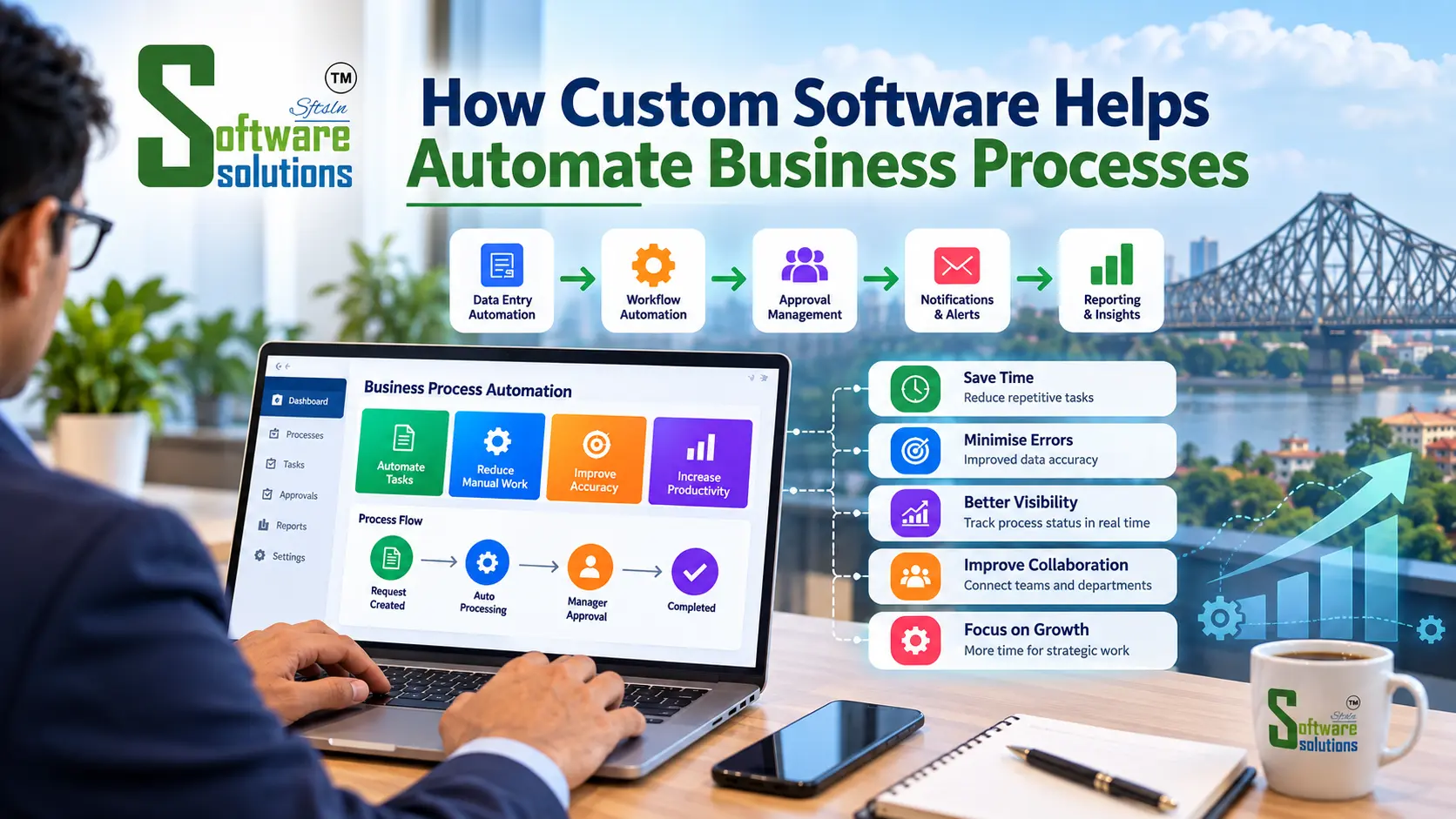
A simple example (hypothetical): An employee submits a purchase request. The software checks that required fields are complete and routes the request to their manager. If the amount is within the manager's limit, it moves on to the finance team. If not, it goes to a senior approver. Each person is notified, reminders go out if a step stalls, and the full history is recorded. Nobody has to chase a spreadsheet or forward an email.
Why Manual Business Processes Become Difficult to Manage
Manual processes aren't automatically bad. A five-person team handling twenty orders a week may manage well with a shared spreadsheet. Problems tend to appear as volume, headcount or complexity grows:
- Repeated data entry. The same customer details get typed into the quoting tool, the billing system and a spreadsheet, and each copy can drift out of date.
- Spreadsheet-based records. Stock or customer lists maintained by several people often end up in conflicting versions.
- Delayed approvals. Requests wait in inboxes, and nobody can easily see where they are stuck.
- Inconsistent data. Small differences, such as "Pvt. Ltd." versus "Private Limited", cause errors in reports and reconciliation.
- Unclear ownership. It is hard to tell who is responsible for a task or whether it is complete.
- Slow reporting. Staff spend hours collecting figures from different sources.
- Cross-department friction. Sales, operations and accounts each work from their own version of events.
How Custom Software Development Automates Business Workflows
Custom software development means building an application around your company's rules, roles and systems rather than adapting your process to a generic product. Depending on the need, it can include:
- Automated task assignment: Work goes to the right person or team based on rules such as product type, region or workload.
- Approval workflows: Multi-step approvals with limits, delegation and override rules specific to your organisation.
- Reminders and notifications: Alerts for overdue tasks, pending approvals or low stock.
- Centralised data entry and validation: Information is entered once, checked for completeness and format, and reused wherever needed.
- Status tracking and dashboards: A live view of what is pending, in progress or completed.
- Scheduled reports: Weekly or monthly summaries generated automatically from current data.
- Integration with existing applications: Connections to accounting software, email, e-commerce platforms or machine-generated data.
- Role-based access and permissions: People see and change only what their role requires.
The right level of automation depends on how often a task occurs and how complex it is. A weekly task with many exceptions may be better left partly manual, while a daily, rule-driven task is a strong candidate.
This is where professional software development services matter. Good providers don't just write code. They help clarify the process, design the data model, build integrations, handle security and support the system after launch.
Practical Examples of Business Process Automation
These are illustrative scenarios, not client case studies. Not every business needs every feature, and most of these would be separate modules or integrations, not one system.
Manufacturing. A job-tracking tool could record production orders, raise material requests when a job starts, log quality-check results and update dispatch status. Supervisors see which jobs are delayed without walking the floor or checking multiple sheets.
Retail and distribution. Stock levels update as sales and purchases are recorded. When an item falls below a set threshold, the system can create a purchase request and notify the buyer. Order processing can pass from entry to picking to invoicing without re-keying.
Sales and customer management. Leads can be assigned by region or product, follow-up reminders created automatically, quotation status tracked and customer communication kept in one record so a colleague can pick up a conversation.
Finance and administration. Expense claims can follow approval rules, invoices can be tracked from receipt to payment, recurring reports can be generated on schedule and documents routed for review and sign-off.
Healthcare and appointment-based services. Booking confirmations, reminders and staff scheduling can be automated. Because personal and sometimes sensitive data is involved, access controls, audit trails and data-protection practices need careful attention from the start.
Custom Software vs Ready-Made Automation Tools
Both approaches are legitimate, and the better choice depends on your situation.
Ready-made business process automation tools suit standard workflows, quick setup and cases where existing integrations meet your needs. Custom software may fit better when processes are specialised, approval rules are unusual, integrations are complex or no product models how you actually work.
| Factor | Ready-made tools | Custom software |
|---|---|---|
| Flexibility | Limited to configuration options | Designed around your rules |
| Initial cost | Usually lower (subscription or licence) | Usually higher (design and development) |
| Implementation time | Often faster | Often longer |
| Integration | Strong for popular platforms; limited for niche systems | Can be built for specific systems |
| Maintenance | Handled largely by the vendor | Your responsibility, or an agreed support arrangement |
| Best suited to | Standard processes, smaller budgets, fast starts | Specialised processes, complex integrations |
Custom development also has trade-offs: higher upfront investment, a longer path to launch, ongoing maintenance and the need for proper documentation so you aren't dependent on one person's knowledge. A hybrid, such as a ready-made core with custom integrations or add-ons, is often the most practical middle path.
Business Benefits of Workflow Automation
When it is well designed and adopted, workflow automation can offer:
- Less repetitive manual work.
- More consistent processes.
- Better visibility into task status.
- Less duplicate data entry.
- Faster information sharing.
- More structured reporting.
- Better coordination between departments.
- More time for work that needs human judgement.
These benefits are possibilities, not guarantees. Results depend on process design, staff adoption, data quality and the quality of implementation. Any provider promising a fixed percentage saving before understanding your processes should be treated with caution.
How to Identify Processes Worth Automating
Before choosing technology, assess each candidate process with a few questions:
- Is the task repeated frequently?
- Does it follow consistent rules?
- Does it require the same data to be entered more than once?
- Are delays or errors common?
- Does it involve several people or departments?
- Can the outcome be measured?
- What happens when an exception occurs?
The last question matters most. If exceptions are frequent and need judgement, you may only be able to automate part of the process.
Start with one clearly defined, high-friction workflow, such as purchase approvals or order-to-invoice. A focused first project teaches you how your team adapts and gives you evidence for what to automate next.
Common Automation Mistakes to Avoid
- Automating a flawed process. Simplify and fix the workflow first.
- Choosing software before documenting requirements. Tools chosen early tend to shape the process instead of serving it.
- Ignoring exceptions and overrides. Real operations have urgent orders, special approvals and corrections.
- Skipping training. Staff who don't understand the system will work around it.
- Neglecting data migration and integration. Poor-quality legacy data can undermine a new system.
- Underestimating security. Decide early who can view, edit, approve and export.
- Ignoring maintenance. Business rules, regulations and connected software all change.
- Automating tasks that need judgement. Automate the routine parts and let people handle the decisions.
Careful planning, realistic scope and involving the people who do the work all reduce these risks.
How to Plan a Custom Business Automation Project
- Map the current workflow. Record how work actually flows, including workarounds.
- Identify bottlenecks and unnecessary steps. Remove what doesn't add value before automating.
- Define requirements and success criteria. For example, "approval status visible to all parties" is more useful than "be faster."
- Decide on the approach. Compare ready-made software, integration or custom development.
- Prioritise essential features. Separate must-haves from nice-to-haves.
- Build or configure a limited first version. A smaller release gets feedback sooner.
- Test with representative users and realistic data. Include exceptions, not just ideal cases.
- Train employees and launch in stages. A phased rollout limits disruption.
- Monitor and improve. Review how the workflow performs and adjust.
Scope, cost and timeline depend on the processes, integrations and features involved, so be wary of quotes given without a proper discovery conversation.
How to Evaluate Custom Software Development Companies
If you decide custom work is justified, the partner you choose affects the outcome as much as the technology. When comparing custom software development companies, consider:
- Process understanding. Do they ask about your workflows, exceptions and goals before proposing features?
- Relevant experience. Ask for examples of similar problems solved. Treat vague claims or unnamed "case studies" carefully, and verify references where possible.
- Honest advice. A good partner will tell you if a ready-made tool would serve you better.
- Scope and communication. Look for clear documentation of requirements, milestones and responsibilities.
- Security and data handling. Ask how they manage access control, data protection and testing.
- Delivery approach. Phased delivery with working demonstrations reduces risk compared with a single large handover.
- Support and maintenance. Clarify who handles fixes, updates and changes after launch.
- Ownership and documentation. Confirm you will receive source code, documentation and the rights needed to maintain the system.
- Transparent pricing. Understand what is fixed, what is estimated and how changes to scope are handled.
Comprehensive software development services usually cover discovery, design, development, testing, deployment and ongoing support. It is reasonable to ask which of these a provider handles directly.
When Should a Business Consider Custom Automation Software?
Your current tools may be holding you back if:
- Important workflows rely on several disconnected spreadsheets.
- Staff repeatedly enter the same information.
- Existing software can't represent essential business rules.
- Departments struggle to share accurate information.
- Manual reporting takes substantial staff time.
- Necessary integrations aren't available.
These signs justify an assessment, not automatically a custom build. The assessment might conclude that better configuration of existing software, or a simple integration, is enough.
Conclusion: Automate the Right Processes With the Right Software
Thoughtful automation can make operations more consistent, visible and coordinated. The order of work matters: understand the process, define measurable objectives, then compare ready-made tools, integrations and custom software before deciding.
If you are weighing your options, Software Solutions offers custom software development services and is happy to talk through your current workflows, recurring bottlenecks, existing systems, priorities and budget. There is no obligation. Sometimes the most useful outcome of a first conversation is clarity on what not to build.