
A customer calls to update their delivery address. Your team updates it in the CRM, then in the billing system, then in the spreadsheet the warehouse uses. By the end of the week, one of those records is out of date, and nobody is entirely sure which one is correct.
This is a familiar situation for many growing businesses. Different departments adopt different tools over time — one application for billing, another for customer records, a separate system for inventory — and each one holds a piece of the picture. The natural reaction is to wonder whether everything should be replaced with a single, all-in-one platform. That can be an expensive and disruptive project, and it is often unnecessary. In many cases, business software integration allows suitable existing systems to exchange information and work together, so the software you already own does more of the job.
What Is Business Software Integration?
Business software integration means connecting two or more applications so that information can move between them, or so that something happening in one system triggers an action in another. It is not the same as merging everything into one application. Each system keeps its own role, but they stop working in isolation.
There are a few common forms:
-
Data integration: sharing or synchronising information between applications, such as keeping customer records consistent across two systems.
-
API integration: using the interfaces that software providers publish so applications can exchange data or request actions from each other. An API (application programming interface) is essentially a defined way for one system to ask another for information or tell it to do something.
-
Workflow integration: triggering an action in one system when something happens in another — for example, creating a follow-up task when a new enquiry arrives.
-
Custom integration software: building a tailored connection when off-the-shelf connectors cannot handle the requirement.
Each approach suits different situations, and the right choice depends on the applications involved, what access they provide, and what the business actually needs to happen.
Signs Your Business Applications Need to Be Connected
Integration problems tend to show up as everyday friction rather than dramatic failures. Common warning signs include:
-
Employees enter the same information into multiple systems.
-
Customer details differ between applications, and staff disagree about which record is correct.
-
Inventory updates are delayed, so stock figures lag behind reality.
-
Sales and accounting reports do not match.
-
Staff regularly export and import spreadsheets to move data between tools.
-
Managers struggle to get a consolidated view of operations.
-
Important follow-ups are missed because information is spread across different tools.
It is worth being honest about the cause, though. Not every annoyance is an integration problem. Sometimes a workflow simply needs tidying up, or an existing application has a setting or feature nobody has configured. Before commissioning any integration work, check whether the current tools can already do what you need.
Examples of Business Applications That Can Work Together
The most useful way to understand integration is through practical examples. These are illustrative scenarios rather than claims about any specific product.
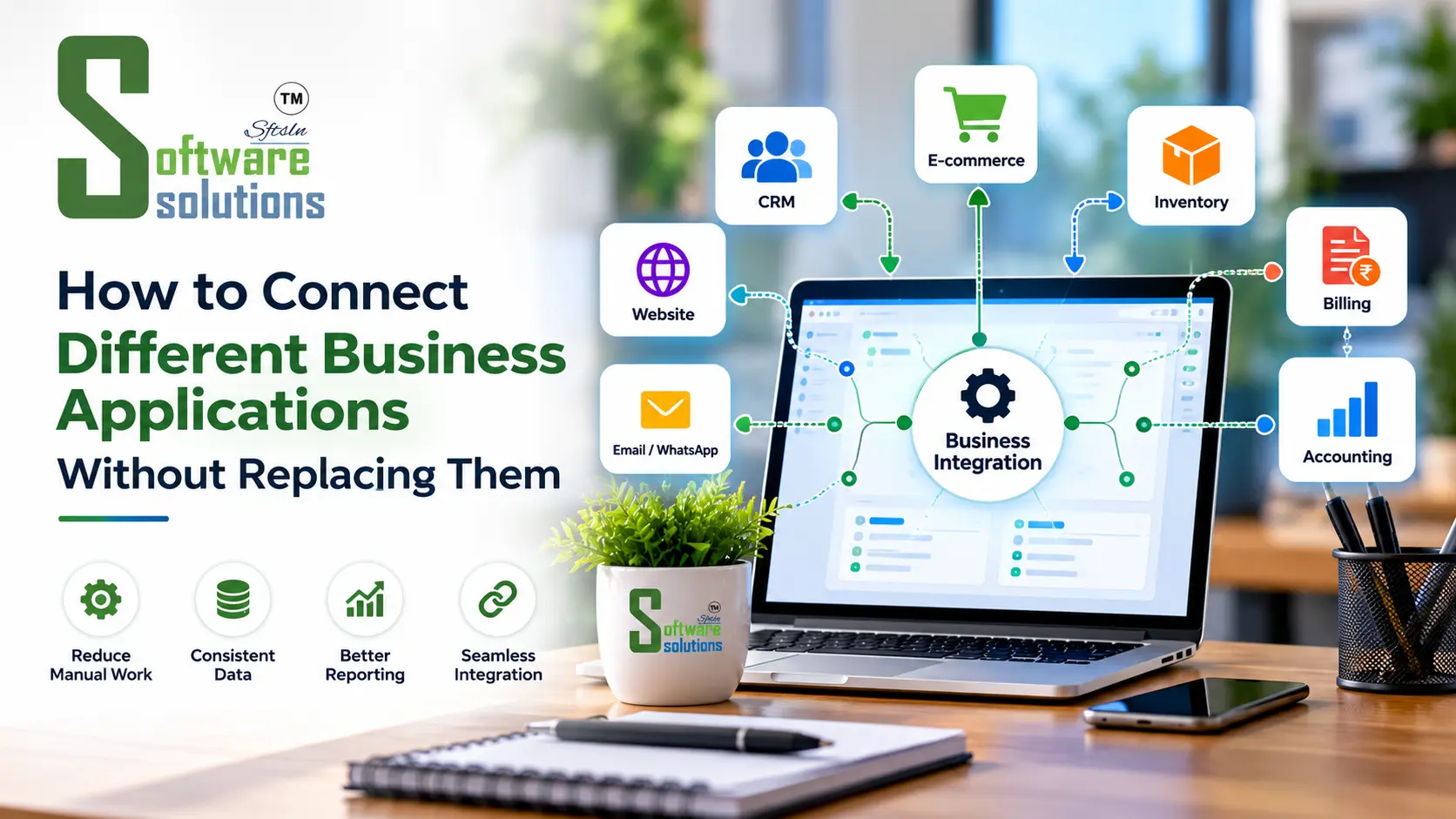
CRM and accounting software. Customer details or approved sales information can be shared with accounting workflows, reducing duplicate entry. This kind of CRM and accounting software integration is one of the most common starting points.
Inventory and billing systems. Confirmed sales may update stock records automatically, subject to the systems' capabilities and your business rules. Inventory and billing software integration helps keep stock figures closer to reality.
Website enquiry forms and CRM. New enquiries can be transferred into a CRM so the sales team can organise follow-ups in one place instead of monitoring an inbox.
E-commerce and inventory platforms. Orders and stock information can be synchronised to help maintain more consistent records across sales channels.
Sales and management reporting. Data from multiple applications can feed a consolidated reporting dashboard, giving managers a single view rather than three conflicting spreadsheets.
Customer communication and business systems. Approved events, such as an order update, may trigger an email or WhatsApp notification through an authorised integration.
These examples show what is possible, not what is automatic. Every integration needs configuration, testing, and a clear idea of which system is the source of truth.
How Can Businesses Connect Applications Without Replacing Them?
There is no single method. The main approaches are:
Built-in integrations. Many software providers offer connections to popular applications out of the box. If an existing connector meets your requirements, it is usually the simplest and most reliable option.
Third-party integration platforms. Middleware and automation tools can connect supported applications with less custom development. They are useful when both systems are widely used and the workflow is relatively standard, but they come with their own subscription costs and limitations.
API-based integration. When appropriate access and functionality are available, applications can be connected through their documented APIs. This offers flexibility but requires development work and ongoing maintenance.
Custom integration development. When existing options cannot handle the required data, workflows, validation, or business rules, a tailored connection may be the practical answer.
Centralised reporting. Sometimes live two-way integration is unnecessary. A controlled data pipeline that feeds a reporting layer may be sufficient — for example, if managers only need a daily consolidated view rather than real-time updates.
Each option involves trade-offs in flexibility, cost, maintenance, reliability, and vendor limitations. The right choice depends on your existing systems, not on a general preference for one method.
Benefits of Connecting Existing Business Applications
When integration is well planned and properly implemented, the potential benefits are practical rather than dramatic:
-
Less duplicate data entry, which frees staff time and reduces errors.
-
More consistent records across connected systems.
-
Faster movement of information between teams.
-
Improved visibility into business operations.
-
Fewer manual export and import tasks.
-
Better reporting across different functions.
-
Longer useful life for existing software investments.
These benefits depend heavily on the quality of the integration, the cleanliness of the underlying data, sensible configuration, and whether staff actually adopt the new way of working. Integration is not a guaranteed saving; it is an improvement that has to be designed and maintained.
Challenges and Risks to Consider
Integration projects run into predictable difficulties, and it is better to plan for them than to discover them mid-project:
-
Limited or restricted APIs. Some applications offer no API, a partial one, or access that requires a paid tier or vendor approval.
-
Incompatible data formats. Different systems may represent the same information in different ways — a customer "name" field in one system might be three separate fields in another.
-
Messy existing data. Duplicate or inconsistent records often need cleaning before any integration can work reliably.
-
Service interruptions. API rate limits, outages, and authentication changes can interrupt integrations, sometimes without obvious warning.
-
Synchronisation errors. Poorly designed synchronisation can create duplicate transactions or overwrite information.
-
Security requirements. Sensitive business data needs appropriate access controls and secure transmission.
-
Ongoing maintenance. Integrations need monitoring, documentation, testing, and maintenance — they are not a one-off task.
Two decisions matter more than most: define which system is authoritative for each type of information, and decide in advance how errors will be detected and handled. An integration that silently fails is worse than no integration at all.
A Practical Process for Planning a Software Integration Project
If you are considering software system integration, a structured approach reduces risk:
-
List the applications currently used by the business and what each one is responsible for.
-
Identify where information is duplicated or delayed.
-
Define which data needs to move between which systems, and in which direction.
-
Check available connectors, APIs, permissions, and licensing restrictions.
-
Decide whether a built-in connector, integration platform, or custom development is appropriate.
-
Define validation rules, error handling, access controls, and backup procedures.
-
Test the integration with representative data before launch.
-
Monitor synchronisation, failed requests, and data consistency after deployment.
-
Document the integration and assign responsibility for maintenance.
A small, clearly defined integration is often a sensible starting point. Connecting two systems well teaches you a lot about your data and your processes before you attempt anything larger.
When Is Custom Software Integration Worth Considering?
Custom integration is worth considering when existing applications do not have a suitable built-in connector, when the business uses specialised or older software, when multiple systems need to follow specific business rules, when standard integration tools cannot handle the required workflow, or when management needs a consolidated view of data from different sources.
It is not always necessary. The simplest reliable option that meets the requirement is usually the best choice, and custom software development should be reserved for cases where simpler approaches genuinely fall short.
Make Your Existing Software Work Better Together
Businesses do not always need to replace their applications to improve operations. In suitable cases, connecting existing systems can reduce repetitive work and improve the flow of information — without the cost and disruption of a full replacement.
A useful first step is to map your current applications and identify the most frustrating manual task in your week. That task often points directly to where an integration would help most. From there, it is worth evaluating your options — built-in connectors, integration platforms, API integration for businesses, or custom development — before committing to a larger software replacement.
If you are unsure where to start, our team can help you assess your systems and identify practical options. We provide software integration services and custom software solutions for businesses in Barasat, and we are happy to discuss your integration requirements before you commit to anything.